
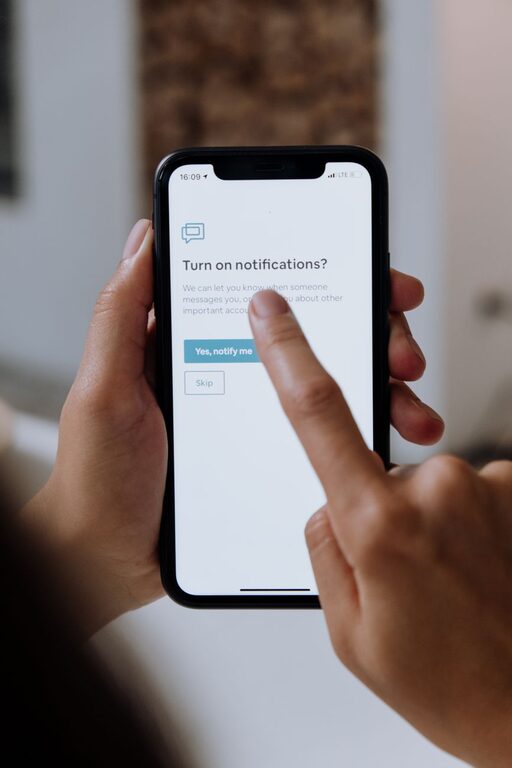
In today’s digital age, notifications are a constant presence on our devices, designed to keep us connected and informed. However, the nonstop flow of alerts can quickly become overwhelming, distracting us from important tasks and disrupting our focus. Setting boundaries with notifications is essential to maintain balance, boost productivity, and protect your well-being.
This article offers practical, easy-to-implement tips to help you take control over your notifications and create healthier digital habits.
Why Set Boundaries with Notifications?
Notifications serve useful purposes—reminding us about appointments, messages, and updates. But when unchecked, they can lead to:
– Frequent distractions and missed focus
– Increased stress and digital overload
– Reduced productivity and inefficient multitasking
– Difficulty in separating work and personal time
Establishing clear boundaries allows you to stay informed without being overwhelmed.
Step 1: Audit Your Notifications
Before making changes, spend a few minutes reviewing your current notification settings.
– Go through your phone, tablets, and computers.
– List the apps that send notifications.
– Identify which notifications you find helpful versus distracting.
This audit will give you a clear picture of what to keep, disable, or adjust.
Step 2: Prioritize Essential Notifications
Not all notifications are equally important. Focus on the following criteria:
– Time-sensitive alerts (e.g., calendar events, calls)
– Messages from close contacts or colleagues
– Critical updates related to work or personal safety
Disable or mute notifications from social media, promotional apps, or games that don’t require immediate attention.
Step 3: Customize Notification Settings
Most devices and apps offer detailed options to tailor notifications. Consider these adjustments:
– Turn off sounds or vibrations to reduce interruption.
– Use banners or badges for less urgent alerts instead of pop-ups.
– Schedule “Do Not Disturb” periods during meetings or focused work time.
– Set priority levels, allowing only high-priority notifications to break through.
Taking the time to customize settings ensures you get notifications on your terms.
Step 4: Create Notification-Free Zones and Times
Designate specific times or spaces where notifications are turned off or minimized:
– During meals, family time, or social gatherings
– While studying, working, or exercising
– At least 30 minutes before bedtime to improve sleep quality
Use built-in modes like “Do Not Disturb” or “Focus Mode” to enforce these boundaries automatically.
Step 5: Use Technology Tools to Manage Notifications
Many apps and operating systems provide tools to help manage notifications effectively:
– Focus Assist (Windows), Focus Mode (Android), or Screen Time (iOS) to limit distractions.
– Third-party apps that aggregate notifications or allow scheduled delivery.
– Email filters or rules to prioritize essential messages.
Explore these options to find what best fits your lifestyle.
Step 6: Communicate Your Boundaries to Others
Let friends, family, and colleagues know about your notification preferences:
– Inform them about your “quiet hours” or preferred communication methods.
– Encourage the use of email or scheduled messages for non-urgent matters.
– Set expectations around response times to reduce pressure.
Open communication helps others respect your boundaries and supports your focus.
Step 7: Regularly Review and Adjust
Your notification needs may change over time. Make it a habit to revisit settings every few weeks:
– Add or remove apps from your priority list.
– Adjust “Do Not Disturb” schedules as your routine shifts.
– Reflect on what is working and what causes distractions.
Being flexible allows you to maintain healthy digital habits.
Additional Tips for Notification Management
– Turn off lock screen previews to reduce distraction and protect privacy.
– Use vibration-only alerts in meetings or quiet environments.
– Limit push notifications for social media and promotional emails.
– Schedule specific times to check emails and messages instead of responding immediately.
– Use silent or airplane mode during deep work sessions or rest time.
Conclusion
Notifications can be both helpful and distracting. By setting clear boundaries with your notifications, you improve your focus, reduce stress, and gain more control over your daily life. A little effort customizing your settings, communicating your needs, and creating notification-free times makes a big difference in digital wellness.
Start today by auditing your notifications and taking small steps toward a more balanced, less interrupted day. Your productivity and peace of mind will thank you!